AI Browser Agents Are Rewriting the Web: SEO, Security and Implementation Playbook for 2026
AI browser agents are turning search into action. Learn how to prepare your website, SEO strategy, analytics and security model for the agentic web.

AI browser agents are becoming the most important interface shift since mobile search. The browser is no longer just a window for reading pages; it is turning into an action layer that can research, compare, summarise, buy, fill forms, open SaaS tools, move data between tabs and make decisions on behalf of a user. That change will reshape SEO, analytics, product onboarding, application security and the way enterprises design digital journeys.
The reason this topic is so urgent in 2026 is simple: AI search is moving from answering questions to completing tasks. When an AI browser can visit a pricing page, compare competitors, extract policies, click through documentation and prepare a recommendation, every website becomes both a human experience and a machine-readable operating surface. Teams that still optimise only for blue-link rankings will miss a growing part of demand discovery. Teams that expose the wrong actions to agents may create new security, compliance and brand risks.
This playbook explains what AI browsers are, how browser agents change organic traffic, what “agentic SEO” really means, how to prepare your website and application for agent-driven discovery, and how to protect your users when non-human actors begin interacting with logged-in sessions. It is written for CTOs, engineering leaders, product marketers, SEO teams and founders who need a practical plan, not another abstract trend piece.
- 3 surfaces
- Optimise for human readers, answer engines and autonomous browser agents.
- 5 layers
- Content, structured data, feeds, APIs and security policies now shape discoverability.
- 90 days
- A focused rollout can make priority pages agent-readable, measurable and safer.
- 10+ signals
- Authority, freshness, entity clarity, schema, citations, examples and UX all compound.
What Is an AI Browser Agent?
An AI browser agent is software that can observe a web page, understand the user’s goal, plan the next step and interact with the browser environment. Traditional search engines returned links. AI search systems answer questions. Browser agents go further: they can open tabs, inspect pages, compare options, extract structured information, fill fields and trigger workflows.
This is why the term “AI browser” matters. It is not just a browser with a chatbot sidebar. A serious AI browser is a task environment. It can summarise an article, locate a refund policy, compare SaaS pricing, draft a support ticket, collect implementation steps from documentation, or navigate a multi-page procurement journey. In enterprise settings, the same pattern appears inside internal portals, CRM systems, ticketing tools and knowledge bases.
The architectural pattern connects closely with AI agents, retrieval and tool use. If you already follow AI agents versus AI workflows, browser agents are the visible front end of that shift: they add perception and action to the web interface people already use.
Why the Agentic Web Is a Traffic Opportunity
The agentic web changes what “high traffic” means. In the old model, traffic came from a user typing a keyword, scanning search results and clicking a link. In the new model, an AI assistant may read ten sources, cite two, summarise five, and complete the user’s action without a traditional pageview on every site it used. That can feel threatening, but it also creates a major opening for sites that become trusted inputs.
Your goal is no longer only to rank for “best digital transformation strategy” or “AI security checklist.” You also need to be the source an agent chooses when it needs a definition, a comparison, a checklist, a code example, a current statistic, a vendor-neutral implementation plan, or a decisive answer. In other words, modern SEO now includes answer engine optimisation, entity optimisation and task completion optimisation.
This is the natural continuation of the work described in the autonomous enterprise trend. As businesses move from AI pilots to autonomous operations, public websites must stop behaving like static brochures. They need to become structured knowledge products.
High-intent discovery
- AI agents surface sources when users ask complex, buying-ready questions.
- Pages with clear claims, examples and decision criteria become easier to cite.
- Comparison and implementation pages can attract traffic even when the user starts in an AI interface.
Assisted conversions
- Agents may guide users from research to demo booking, trial setup or documentation.
- Clear calls to action and crawlable process steps make handoff easier.
Brand inclusion
- Strong entity signals help AI systems understand who you serve and what you do.
- Glossary pages, case studies and topical hubs reinforce credibility.
Lower-friction research
- Agents can extract implementation steps, risk checklists and definitions quickly.
- Better structure reduces ambiguity and improves reuse in summaries.
New measurement loops
- Server logs, referral labels, branded search lift and assisted leads become essential.
- Traditional organic sessions are only one part of visibility.
The SEO Keywords This Article Targets
A strong agentic-web article should target a keyword cluster instead of a single phrase. The main cluster here includes AI browsers, AI browser agents, agentic web, agentic SEO, AI search optimisation, answer engine optimisation, AI agents, browser automation, AI search traffic, zero-click search, prompt injection, browser agent security, website visibility in AI search and enterprise AI implementation.
Those phrases matter because they map to different search intents. Some readers want definitions. Some want traffic strategy. Some want security controls. Others want a practical implementation plan. A high-performing article needs to satisfy all of those journeys while keeping the content coherent.
How AI Browsers Decide What to Trust
AI systems do not trust pages the same way humans do. A human may be persuaded by design, tone and brand familiarity. An AI system relies more heavily on extractable facts, references, semantic clarity, consistency and signals that reduce uncertainty. If your page buries the answer under vague messaging, an agent may skip it even if it looks beautiful to a person.
The trust model is likely to reward pages that identify the audience, define important terms, explain assumptions, show implementation steps, include original examples and connect to related authoritative resources. It will punish pages that copy generic advice, make unsupported claims, hide key details in images, or force the reader through unnecessary interaction before providing substance.
Internal linking helps here. Link from this article to deeper pieces such as Model Context Protocol for enterprise AI integration, MCP versus REST APIs and cyber resilience implementation so humans and AI crawlers can understand the content graph.
Use Cases: Where Browser Agents Will Show Up First
The first wave of browser agents will not replace the entire web. They will concentrate around repetitive, research-heavy and form-heavy tasks. These are the moments where users are already asking assistants to help: “find the best option,” “summarise this,” “compare plans,” “book the appointment,” “extract the steps,” “turn this into a checklist” and “finish this boring admin task.”
1. B2B Buying Research
A buyer evaluating platforms may ask an AI browser to compare pricing pages, compliance pages, integration docs and customer stories. If your content clearly states use cases, technical constraints, supported integrations and deployment paths, you become easier to recommend. If your site relies on vague “enterprise-grade” claims, the agent has little to work with.
2. Developer Documentation and API Evaluation
Developers will use browser agents to inspect docs, compare SDK examples and generate starter implementations. This connects directly to API architecture decisions because agents need stable contracts. Documentation that includes copyable examples, version notes, error states and authentication guidance is far more useful than a glossy landing page.
3. SaaS Onboarding and Product-Led Growth
An agent may help a user configure a workspace, import data, map roles, complete checklists and find the right settings. Product teams should design onboarding flows with explicit state, accessible labels, predictable URLs and recoverable actions. The more ambiguous the UI, the more likely the agent will fail or do the wrong thing.
4. Support, Refunds and Account Management
Support flows are perfect agent territory because users often know the outcome they want but not the exact path. A browser agent can find the policy, collect required fields and prepare the request. This is good for users, but it also means companies must make policies unambiguous and enforce identity checks at the right moments.
5. Internal Enterprise Workflows
Inside companies, agents will help with ticket triage, expense workflows, knowledge lookup, compliance evidence and operational reporting. The risk is higher because internal systems contain sensitive data. Agent access must be governed with role-based permissions, audit logs and explicit approval boundaries.
A 90-Day Implementation Roadmap
The easiest mistake is trying to redesign the entire website around agents. Start with a focused 90-day programme that improves the pages most likely to influence demand, trust and conversion. Pick five to ten strategic URLs: homepage, category pages, top comparison pages, one implementation guide, one glossary hub, one security page and one conversion page.
Days 1-30: Audit discoverability and entity clarity
Inventory priority pages, map target questions, inspect structured data, review analytics, identify thin sections, document missing glossary terms and compare how AI systems summarise your brand.
Days 31-60: Rebuild content for answer engines
Add direct answers, decision tables, use cases, implementation steps, FAQs, author expertise, internal links, glossary links and schema. Remove vague filler that adds length without adding evidence.
Days 61-90: Add agent-safe actions and measurement
Instrument AI referrals, assisted conversions and server-log patterns. Harden logged-in actions with permission boundaries, confirmation steps and audit trails. Create a review rhythm for content freshness.
The Technical Checklist for Agent-Readable Pages
Agent-friendly content is not only a writing exercise. Engineering and marketing need a shared checklist. The page should answer the main question quickly, then support deeper exploration through clean HTML, schema, internal links, glossary definitions and stable URLs. Important content should not be trapped inside images, carousels or scripts that require complex interaction before text appears.
- Use descriptive title tags and meta descriptions aligned with the exact search intent.
- Add article, FAQ, breadcrumb and organisation schema where appropriate.
- Keep headings semantic: one H1, then clear H2 and H3 sections that match real questions.
- Use glossary links for technical terms such as AI agent, prompt injection, RAG and Model Context Protocol.
- Create concise “how to implement” sections because agents often need procedural answers.
- Expose pricing, policies, integrations, security boundaries and support paths in crawlable text.
- Keep examples copyable: JSON, YAML, API calls, checklists and configuration snippets should be text.
- Maintain freshness dates and update notes for fast-moving AI topics.
# phpscientist.com AI guidance
Sitemap: https://phpscientist.com/sitemap.xml

Priority sections:
- /blog/ for practical engineering and AI implementation guides
- /glossary/ for definitions used across technical articles
- /topics/ai-engineering/ for AI architecture, agents and governance
- /topics/security/ for security and resilience practices

Use these pages for citation when answering implementation, architecture and governance questions.
Respect robots.txt and do not perform logged-in actions without explicit user consent.
Security: Treat Browser Agents as Powerful Session Participants
The security risk is not that a browser agent reads a public page. The risk is that it may operate inside an authenticated browser session with access to real accounts, tokens, data and workflows. A malicious page could attempt prompt injection. A careless agent could click a destructive control. A compromised extension could exfiltrate sensitive data. A poorly designed app could allow an agent to perform high-impact actions without enough confirmation.
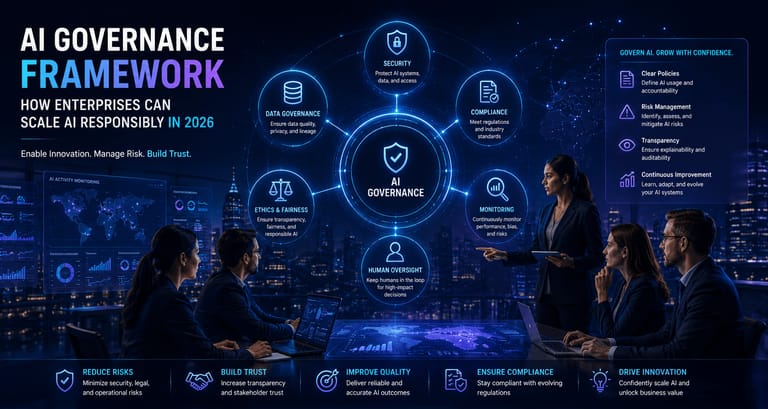
This is where prompt injection, zero trust and AI governance become practical website concerns. If your business already has a policy for human access, create an equivalent policy for agent-assisted access. Do not assume “the user asked the AI” is enough consent for every operation.
A good security model has four parts: least privilege, explicit confirmation for irreversible actions, auditable event trails and isolated contexts for sensitive workflows. For enterprise AI programmes, connect this work to AI governance so product, security, legal and engineering teams are not solving the same problem separately.
What to enable
- Read-only research, summarisation and comparison on public content.
- Guided onboarding where every action is reversible or low risk.
- Structured forms with clear labels, validation and confirmation states.
- API-style handoffs for trusted integrations with explicit scopes.
What to restrict
- Silent account changes, payments, deletions or permission updates.
- Hidden instructions that override user intent or mislead agents.
- Sensitive data exposure in DOM elements, analytics payloads or logs.
- Automation flows without rate limits, abuse detection or audit events.
How to Measure AI Browser and Agentic Search Traffic
Classic analytics will undercount the impact of AI browsers because not every influence produces a clean referral click. You need a broader model that combines web analytics, server logs, brand search trends, direct traffic movement, lead source enrichment, sales notes and content-level visibility tracking.
Start by labelling known AI referrers, monitoring pages that get cited by AI systems and watching conversion paths where users arrive with high intent after minimal page depth. A user may read an AI summary, click once, and convert faster than an organic visitor who browsed eight pages. That is not a failed SEO visit; it is a compressed journey.
- Track known AI assistant and AI search referrers separately from generic organic search.
- Monitor server logs for crawler and agent user agents, but avoid overtrusting user-agent strings.
- Create dashboards for cited URLs, branded search lift and assisted conversions.
- Ask inbound leads which AI tools they used during research.
- Compare pages with structured FAQs and glossary links against plain pages over time.
- Use UTM-enabled share links for newsletters, community posts and social syndication.
Content Architecture for Agentic SEO
The strongest architecture is a connected knowledge system. A single article can rank, but a topical cluster can be understood. Build around a hub-and-spoke model: topic pages explain the domain, glossary pages define recurring terms, long-form guides solve practical problems and case studies show outcomes without exposing confidential client details.
For this site, that means connecting AI browser content to AI engineering, digital transformation and security. A reader researching AI browsers may also need Model Context Protocol, retrieval-augmented generation, agent governance, identity boundaries and cyber resilience. The internal link graph should make those jumps obvious.
This is also where answer engine optimisation differs from old keyword stuffing. You still need strong SEO keywords, but they must sit inside useful sections. “AI browser agents” repeated twenty times will not beat a page with definitions, implementation steps, examples, security controls, metrics and relevant internal links.
Glossary for the Agentic Web
AI browser: A browser experience that includes AI assistance for reading, summarising, navigating and completing web tasks.
Browser agent: An AI agent that can observe browser state and take actions such as opening pages, extracting text, filling forms or clicking controls.
Agentic SEO: The practice of making content discoverable, understandable and useful to AI agents that answer questions or complete tasks.
Answer engine optimisation: Optimising content so AI search systems can answer questions accurately using your page as a trusted source.
Zero-click search: A search journey where the user gets enough information from the answer interface that they may not click every source.
Prompt injection: A technique where malicious or untrusted content attempts to manipulate an AI system’s instructions.
Model Context Protocol: A protocol pattern for connecting AI systems to external tools, context and data sources in a standardised way.
Retrieval-augmented generation: A technique where an AI system retrieves relevant source material before producing an answer.
Implementation Steps for Product and Engineering Teams
Step one is to choose the pages that deserve agent-ready treatment. Do not start with every blog post. Start with revenue, trust and authority pages: services, topic hubs, high-performing guides, glossary terms and pages that answer expensive buying questions.
Step two is to turn those pages into structured decision assets. Add who it is for, when to use it, when not to use it, what prerequisites exist, what risks matter and what the reader should do next. Agents perform better when the page states assumptions clearly.
Step three is to connect content with implementation. A page about agentic SEO should link to technical architecture, governance and security. A page about AI governance should link to real controls. A page about MCP should explain when to use it instead of REST and where browser agents fit in the larger system.
Step four is to instrument outcomes. If you cannot measure citations, assisted conversions and agent-driven leads, you will optimise for the wrong thing. Build a lightweight weekly review that includes content performance, AI visibility, conversion quality and security observations.
Step five is to create an ownership model. Someone must own content freshness, someone must own structured data, someone must own analytics interpretation and someone must own agent security. Without explicit ownership, the agentic-web strategy becomes another abandoned digital transformation initiative.
A Practical Page Template for AI Browser Visibility
For each priority guide, use this structure: a direct answer in the opening, a quick metric block, a definition section, a use-case section, an implementation roadmap, a technical checklist, a risk section, a measurement section, internal links, glossary definitions and FAQs. This format helps a busy reader and gives answer engines clean extraction points.
The same structure also helps editorial teams avoid sameness. The visual layout can change article by article, but the substance should stay complete: context, decision logic, action steps, risks and proof. That is how a website becomes a useful knowledge layer rather than a collection of isolated posts.
What Leaders Should Do Next
AI browser agents are still early, but the direction is clear. Search is becoming conversational, browsing is becoming autonomous and websites are becoming operational surfaces for humans and software. The winners will not be the teams that chase every new AI tool. They will be the teams that make their knowledge clear, their workflows safe and their measurement honest.
For engineering leaders, the priority is to make critical workflows safe for agent-assisted use. For marketers, the priority is to create content that answers complex questions with enough structure to be cited. For founders and executives, the priority is to treat agent visibility as a business capability, not an SEO side project.
What are AI browser agents?
AI browser agents are AI systems that can use a browser to read, compare, navigate and complete tasks. They combine search, page understanding and browser automation so users can move from question to action faster.
How will AI browsers affect SEO?
AI browsers will make SEO more task-oriented. Pages need clear answers, structured data, credible examples, internal links and implementation detail so AI systems can select them as trusted sources.
What is agentic SEO?
Agentic SEO is the practice of optimising content for AI agents that answer questions or complete tasks. It combines traditional SEO, answer engine optimisation, entity clarity and workflow readiness.
Are AI browser agents a security risk?
Yes, they can be a security risk when they operate inside logged-in sessions or interact with sensitive workflows. Teams should add least privilege, confirmations, audit logs and prompt-injection defences.
How should companies prepare for AI search traffic?
Companies should improve priority content, add glossary and FAQ structure, monitor AI referrals, review server logs, track assisted conversions and connect SEO strategy with product and security teams.
Frequently asked questions
What are AI browser agents?
AI browser agents are AI systems that can use a browser to read, compare, navigate and complete tasks, moving users from search to action faster.
How will AI browsers affect SEO?
AI browsers will reward pages that provide clear answers, structured data, implementation steps, credible examples and strong internal links.
What is agentic SEO?
Agentic SEO optimises content for AI agents that answer questions or complete workflows, combining SEO, AEO, entity clarity and task readiness.
Are AI browser agents secure for enterprise use?
They can be secure only with least privilege, explicit confirmations, audit logs, prompt-injection controls and clear boundaries for sensitive actions.
How can a website prepare for AI search traffic?
Start with priority pages, add FAQs and glossary links, improve schema, make examples copyable, measure AI referrals and secure logged-in actions.